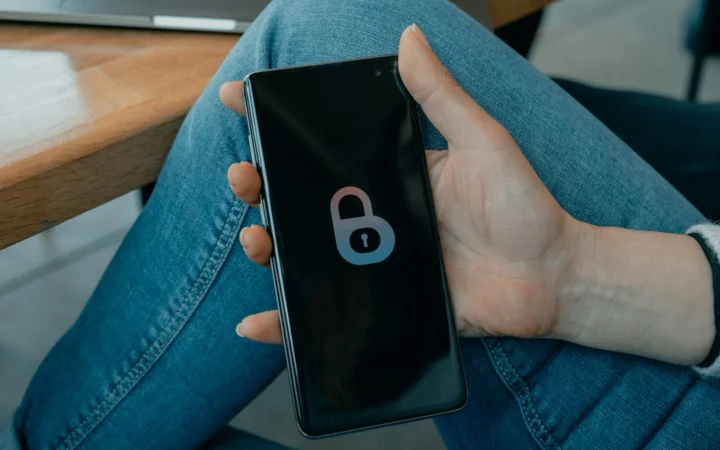

Leaving your router settings on factory defaults is a bit like locking your front door but leaving the spare key right under the welcome mat. Most internet service providers hand out hardware with generic login details and outdated encryption protocols enabled out of the box. Anyone parked outside your house can potentially tap into your bandwidth or snoop on your browsing traffic if you don’t change those default configurations. Fortunately, locking down your home network takes less than half an hour and requires no special technical background.

Change Your Admin Credentials Immediately
The sticker on the bottom of your broadband box lists an administrator username and password. Manufacturers print these same details on millions of devices worldwide. Hackers know them by heart. Type your router’s IP address into a browser window, log in with those factory details, and head straight to the settings menu to swap them out for something entirely unique. Make that admin password long, random, and completely different from your actual Wi-Fi password. Nobody else needs access to that control panel.
Myth vs Fact: Hiding Your Network SSID
Many online guides suggest turning off SSID broadcasting so your Wi-Fi name stays hidden from neighbours. It sounds clever. It feels like pulling an invisibility cloak over your router. Security researchers have shown that this trick actually achieves very little. Your devices constantly shout out probe requests searching for that hidden name anyway. Any basic packet analyser can pick up those signals in seconds. Instead of hiding the name, focus on the real line of defence: strong encryption.
Upgrade to Modern Encryption Standards
Old security protocols like WEP belong in a museum, and even WPA2 has known vulnerabilities that attackers can exploit given enough time. Log into your router dashboard today and check your wireless mode. Select WPA3 if your hardware supports it. If you have older smart home gadgets that fail to connect under WPA3, look for a mixed WPA2/WPA3 transition mode. Avoid any setting labelled TKIP like the plague because it slows speeds down and drags your security back a decade.
Keep Router Firmware Up to Date
Software bugs happen. Manufacturers release patches to fix newly discovered vulnerabilities on a regular basis. Many modern routers handle these updates automatically during the dead of night, but older models demand manual checks. Log into your device management page every few months to see if a newer firmware version waits for installation. Neglecting this step leaves known security holes wide open.
Set Up a Guest Network for Visitors
Friends always ask for your Wi-Fi password when they drop by for a cup of tea. Handing over your main passphrase gives them full access to every connected printer, NAS drive, and smart TV on your premises. Turn on the guest network feature instead. This creates a separate digital lane for visitors. They get internet access, but they remain completely walled off from your personal file shares and private devices.
For more information, visit our website.
Learn more on Wikipedia: Home network.