- Choosing Cloud Accounting Software Without the Headaches
- Myth 1: Every Platform Offers the Same Core Features
- Myth 2: Migrating Financial Data Takes Weeks of Downtime
- Myth 3: Security Is Worse on the Cloud Than on Your Office PC
- The Real Problem: Hidden Add-On Costs
- Evaluating Bank Feeds and Reconciliation Tools
- Making Tax Digital and Compliance
- Support Quality When Things Go Wrong
- Making Your Final Choice
Choosing Cloud Accounting Software Without the Headaches
Switching your financial records online feels like a massive leap. Many business owners stick with desktop spreadsheets or legacy desktop programs simply because change is difficult. However, modern cloud accounting software changes how businesses handle day-to-day finances.
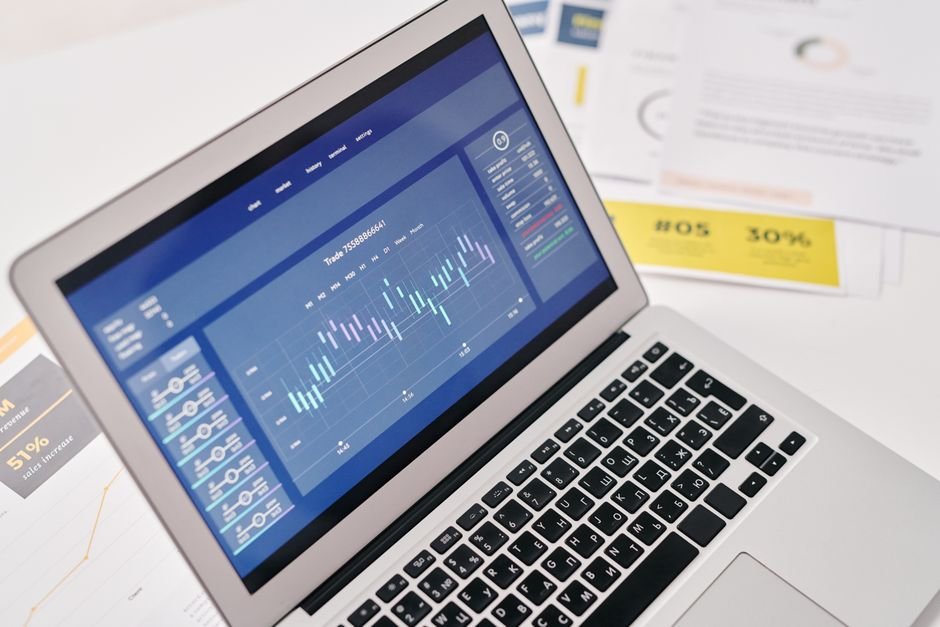
Finding the right platform takes more than reading marketing brochures. Every provider claims to save time. Few explain how their system handles actual invoicing glitches, bank feed drops, or year-end accounts.
Let us look past the feature lists. We will examine the myths, the actual problems business owners face, and the solutions that make digital bookkeeping worth the subscription fee.
Myth 1: Every Platform Offers the Same Core Features
Many buyers assume basic bookkeeping tools are identical. They pick the cheapest option or the one with the flashiest website. This mistake costs companies hours of manual data entry later.
Basic packages often hide crucial limits behind higher pricing tiers. You might find your chosen plan lacks multi-currency support, automated receipt scanning, or purchase order tracking just when your business starts growing.
The solution involves mapping your actual workflows before looking at software. Do you invoice clients weekly? Do you track inventory across multiple warehouses? Do you manage contractors who submit expenses from mobile phones?
If your business relies heavily on cash flow visibility, your software needs robust forecasting and real-time bank feeds. A tool that only logs past transactions leaves you blind to upcoming tax bills or payroll shortfalls.
Myth 2: Migrating Financial Data Takes Weeks of Downtime
Fear of losing historical records stops many directors from upgrading their systems. People picture months of manual data entry and broken spreadsheets.
In reality, most platforms offer automated migration tools or CSV import templates for customer lists, supplier directories, and opening balances. But migration is rarely frictionless.
Formatting errors will happen. Date fields get mixed up between UK and US formats. Tax codes rarely map across cleanly.
The practical solution is running your old system and your new cloud accounting software in parallel for at least one month. This overlap catches missing transactions before you submit quarterly VAT returns to HMRC.
Never cancel your old subscription on day one. Give yourself a safety net.
Myth 3: Security Is Worse on the Cloud Than on Your Office PC
Business owners often worry about hackers accessing financial records stored online. They feel safer keeping QuickBooks files on a hard drive sitting under a desk.
That office hard drive is vulnerable to coffee spills, ransomware attacks, fire, and theft. Local backups fail more often than people admit.
Reputable SaaS providers invest millions in server security, daily encrypted backups, and multi-factor authentication. Their physical data centres have biometric access controls and redundant power supplies.
The real security risk isn’t the cloud provider. It’s user complacency.
Staff members using weak passwords or failing to enable two-factor authentication create the biggest vulnerabilities. Software security only works if your team follows basic hygiene rules.
The Real Problem: Hidden Add-On Costs
The base subscription price rarely covers everything your business needs. Vendors hook buyers with a low monthly fee, then charge extra for payroll, expense management, project tracking, and extra user seats.
By the time you add essential modules, your monthly bill doubles. Changing platforms again six months later wastes even more money.
Calculate your total cost of ownership for a full twelve-month period before entering credit card details. Ask sales teams about price increases at renewal time.
Many providers offer introductory discounts for the first three months, followed by standard rates that sting if you didn’t budget for them.
Evaluating Bank Feeds and Reconciliation Tools
The primary benefit of digital bookkeeping is automated transaction matching. You want software that links directly to your business bank account via secure open banking protocols.
Test the matching rules during your trial period. Does the system correctly identify recurring subscription payments? Can you set up custom rules for regular client deposits?
Bad reconciliation features turn time-saving tools into manual chores. If you spend hours fixing incorrect auto-categorisations, the software isn’t doing its job.
Look for intuitive bank rules that learn from your previous actions. Good platforms flag anomalies instantly.
Making Tax Digital and Compliance
For UK businesses, compatibility with Making Tax Digital rules is non-negotiable. HMRC requires digital record keeping and digital submission for VAT-registered businesses above the threshold.
Ensure your chosen platform connects directly to HMRC submission gateways without requiring manual file exports.
Regulations change frequently. Your software provider must push updates automatically without charging extra for compliance patches.
Check user forums and independent review sites to see how quickly the vendor responds to tax policy changes.
Support Quality When Things Go Wrong
Technical glitches happen to every platform. When your payroll run fails on a Friday afternoon, waiting three days for an email reply causes genuine panic.
Test customer support during your trial period. Send a technical question via live chat and measure the response time.
Avoid platforms that rely solely on community forums and generic knowledge bases for support. Direct human assistance matters when numbers do not balance.
Making Your Final Choice
Take advantage of free trial periods. Do not test the software with fake data. Import a realistic batch of past invoices and bank statements.
Involve your bookkeeper or accountant in the decision. They will use the system regularly and know which features actually save time during year-end reporting.
Pick the tool that fits your current workflow while leaving room for sensible growth.
For more information, visit our website.
Related reading
- 5 Business Automation Tools That Actually Cut Admin Time
- CRM vs ERP: What’s the Difference and Which One Do You Need?